Smart wearable ecosystem
Wear smarter. Understand your body better.
Smart watches, rings and AI glasses connected by the KINGSTARFit App. Track daily wellness, manage device settings and access intelligent features from one experience.
- Device categories
- 3
- Device categories
- Connected App platform
- 1
- Connected App platform
- Daily wellness tracking
- 24/7
- Daily wellness tracking
Daily Wellness
Connected · KSW Series
Steps
On track8,642
Sleep Score
86
Premium Insight
Improve recovery tonight
72
Rest HR
Sleep Score
86 Good
One connected system
Device, App and Pricing work together.
One journey from purchase to daily use — devices collect the data, the App organizes it and Pricing explains what is free, premium or partner-based.
Smart Devices
Smart watches, rings and AI glasses connect physical products with daily digital experiences.
KINGSTARFit App
Connect devices, sync data, manage settings and view clear wellness dashboards.
Pricing
Free basics, available Premium options and partner pricing are explained before purchase.
KINGSTARFit
Watch · Ring · Band
Wellness Score
GoodSleep
Devices
Pair fast
Connect watches, rings and glasses via Bluetooth.
Track daily
Steps, sleep, heart rate, workouts and trends.
Premium options
Review available reports and content in the App.
KINGSTARFit App
The App becomes the center of the product experience.
Use the App to connect supported devices, review synchronized records, manage settings and see any membership options available for your model and account.
Featured products
Choose a device for every lifestyle.
Start from a product series. Detailed models, specs and App compatibility are one click away.
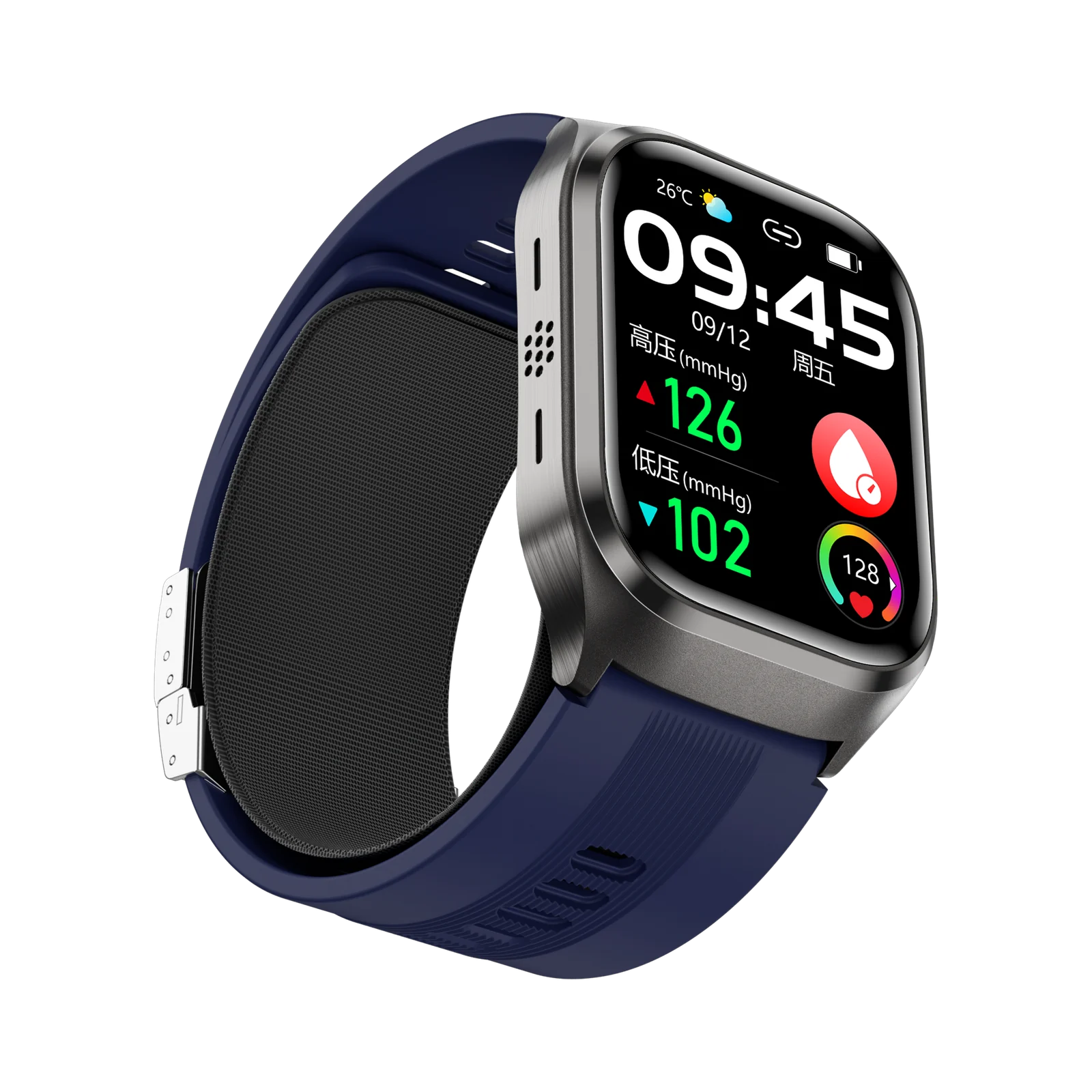
Smart Watch
Health Watch Series
Large AMOLED displays, guided measurements and connected daily records.
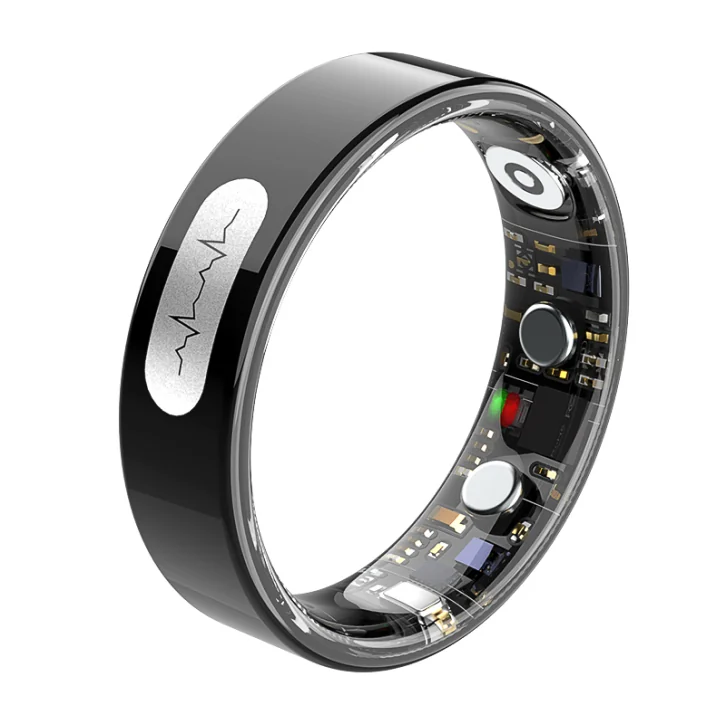
Smart Ring
Smart Ring Series
Low-profile wellness tracking with long battery life and App sync.
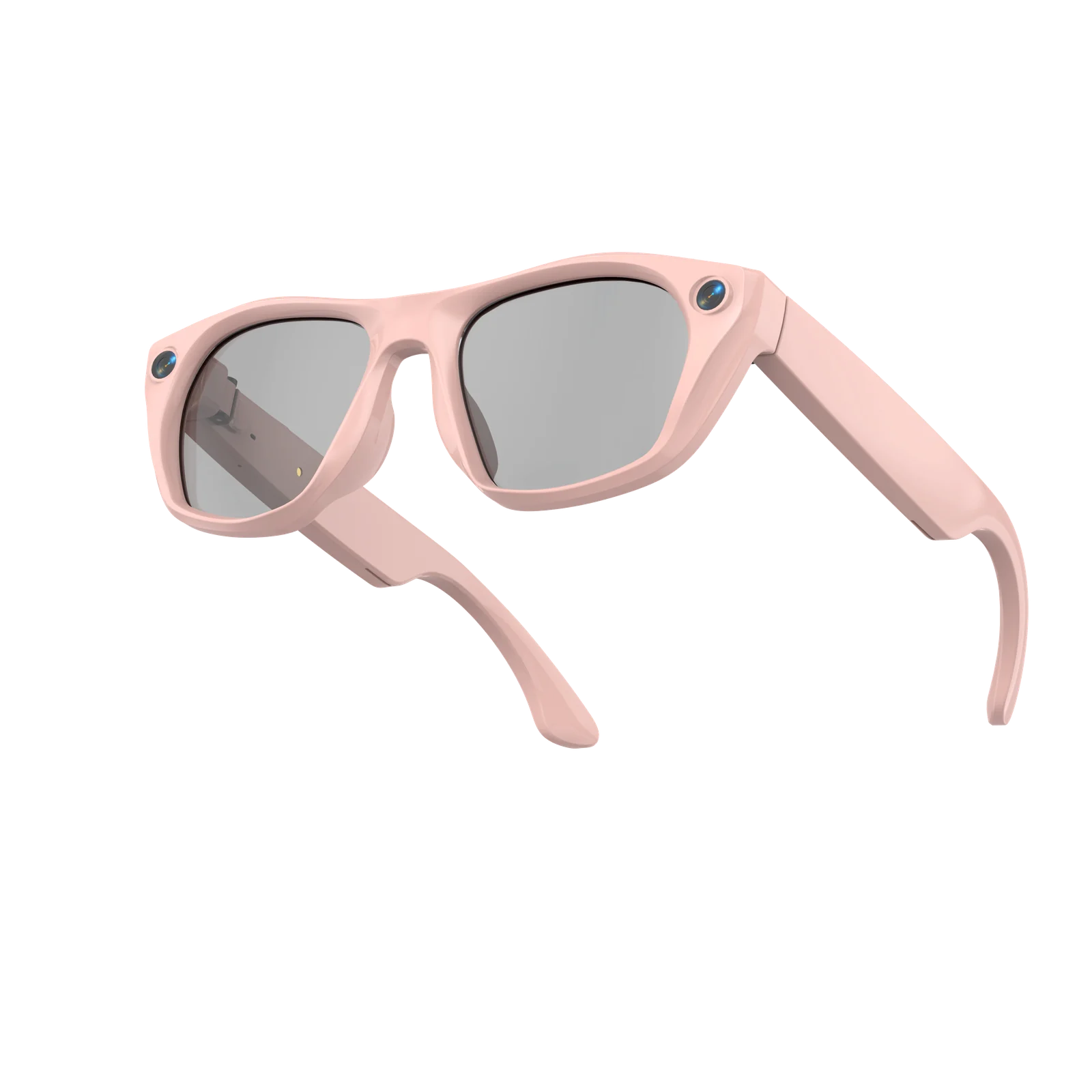
AI Smart Glasses
AI Glasses Series
Hands-free capture, translation, audio and intelligent assistance.
Pricing
Turn device data into ongoing value.
Where offered, Premium membership adds reports, guided content and advanced insights to the supported connected-device experience.
- Free users keep basic device connection and core data.
- Available Premium plans show their features and billing terms before purchase.
- Family, care and B2B partner pricing depends on the applicable model and agreement.
USD 0
Device connection, basic dashboard, activity record and settings.
IncludedPrice shown before purchase
Advanced reports, premium content, trend insights and personalized guidance.
View PlansHow it works
From device to App in four steps.
- 1
Choose device
Select a smart watch, ring or pair of AI glasses.
- 2
Download App
Install the compatible App from the official store link.
- 3
Pair and sync
Connect by Bluetooth and sync daily data.
- 4
View insights
Use dashboards, manuals and available membership features.
Need help connecting your device?
Use the Support Center for App manuals, pairing guides, troubleshooting and after-sales support.